
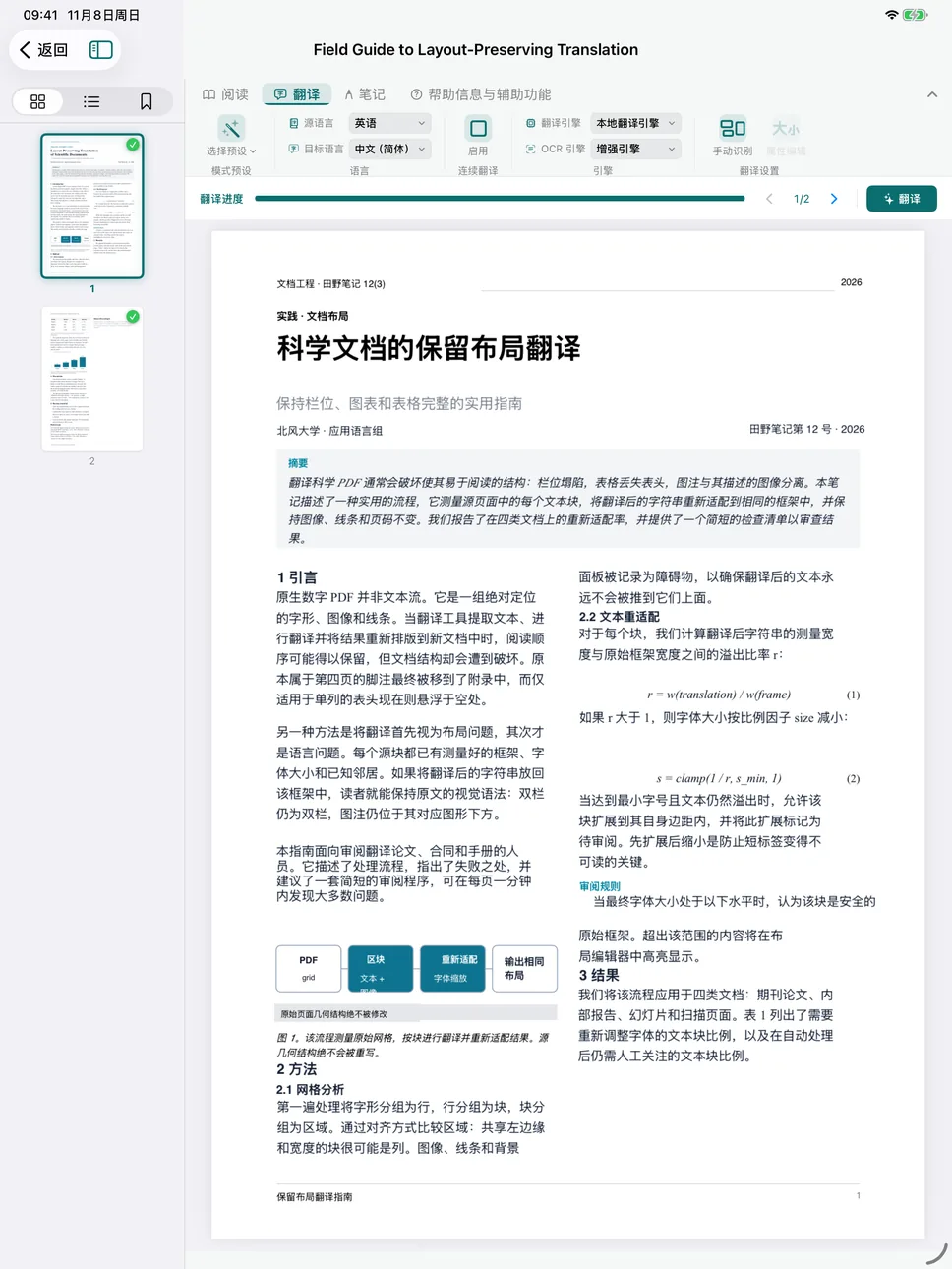
Academic papers come with unique challenges: dense terminology, complex equations, multi-column layouts, and precise wording. Here is how to get the best results.
1. Choose a clear source language
Papers in mixed languages or with untranslated abstracts can confuse auto-detection. If you know the paper's original language, set it explicitly for better results.
2. Use the cloud LLM engine for technical accuracy
For academic content, the cloud LLM engine generally produces more accurate and consistent terminology than generic translation. It understands context better — crucial for terms that change meaning by field.
3. Leave the layout analysis on
Keep layout preservation enabled so formulas, figure captions, and two-column text stay in place. This lets you read a translated paper in its original structure instead of a jumbled stream of text.
4. Use auto-translate-all for long papers
For a 20-page paper, don't translate page by page. Use Auto-Translate All to process the whole document continuously while you review.
5. Cross-check tricky sections with the Original toggle
Use the Original / Translation toggle to verify that critical definitions, units, or equations mean exactly what you think. This is especially important for tables and figure labels.
6. Keep answers in your words
After translating, read the section in your own language and paraphrase. Good translation tools give you comprehension — you still bring the analysis.