
Translate PDFs & Keep the Original Layout
AI-powered PDF translator that perfectly preserves original formatting and layout during translation
iPhone and iPad
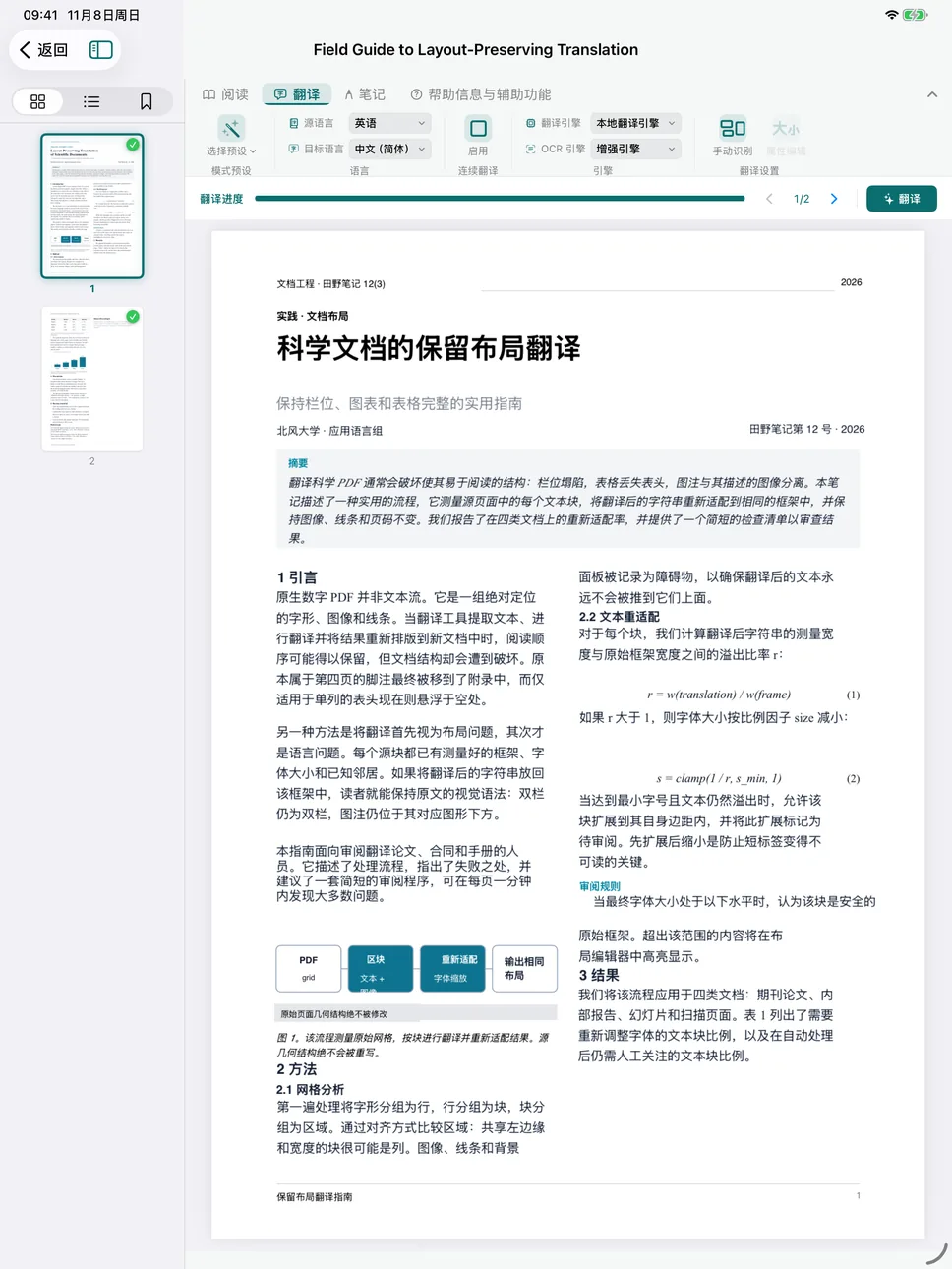
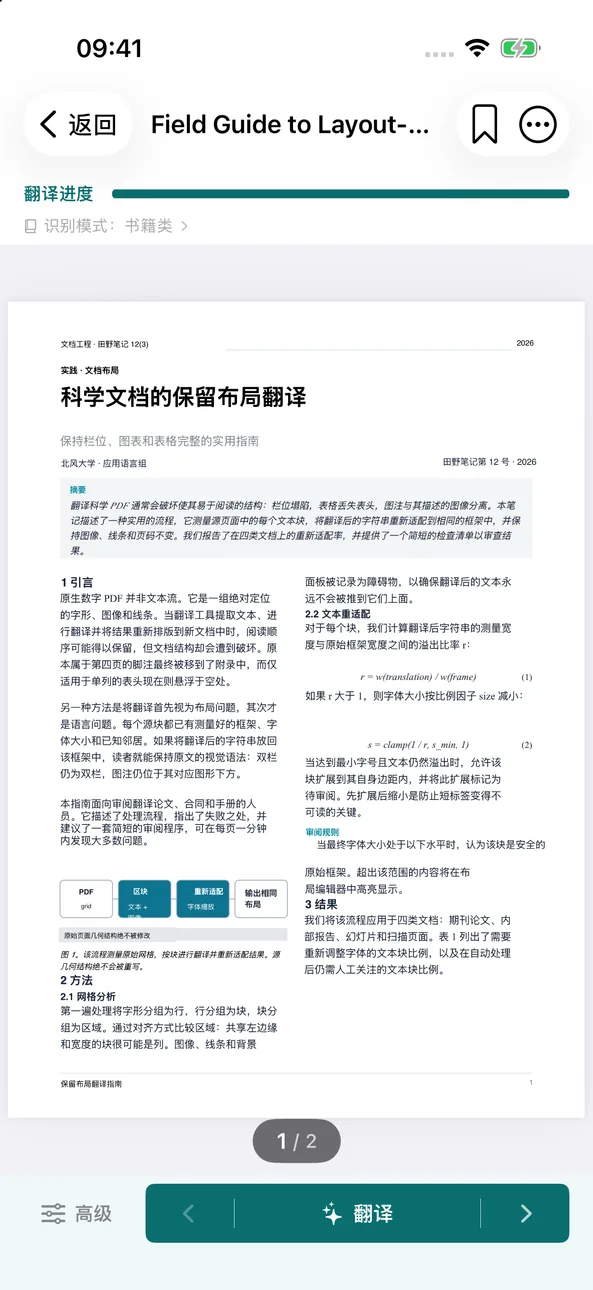
The translation reads like the original.
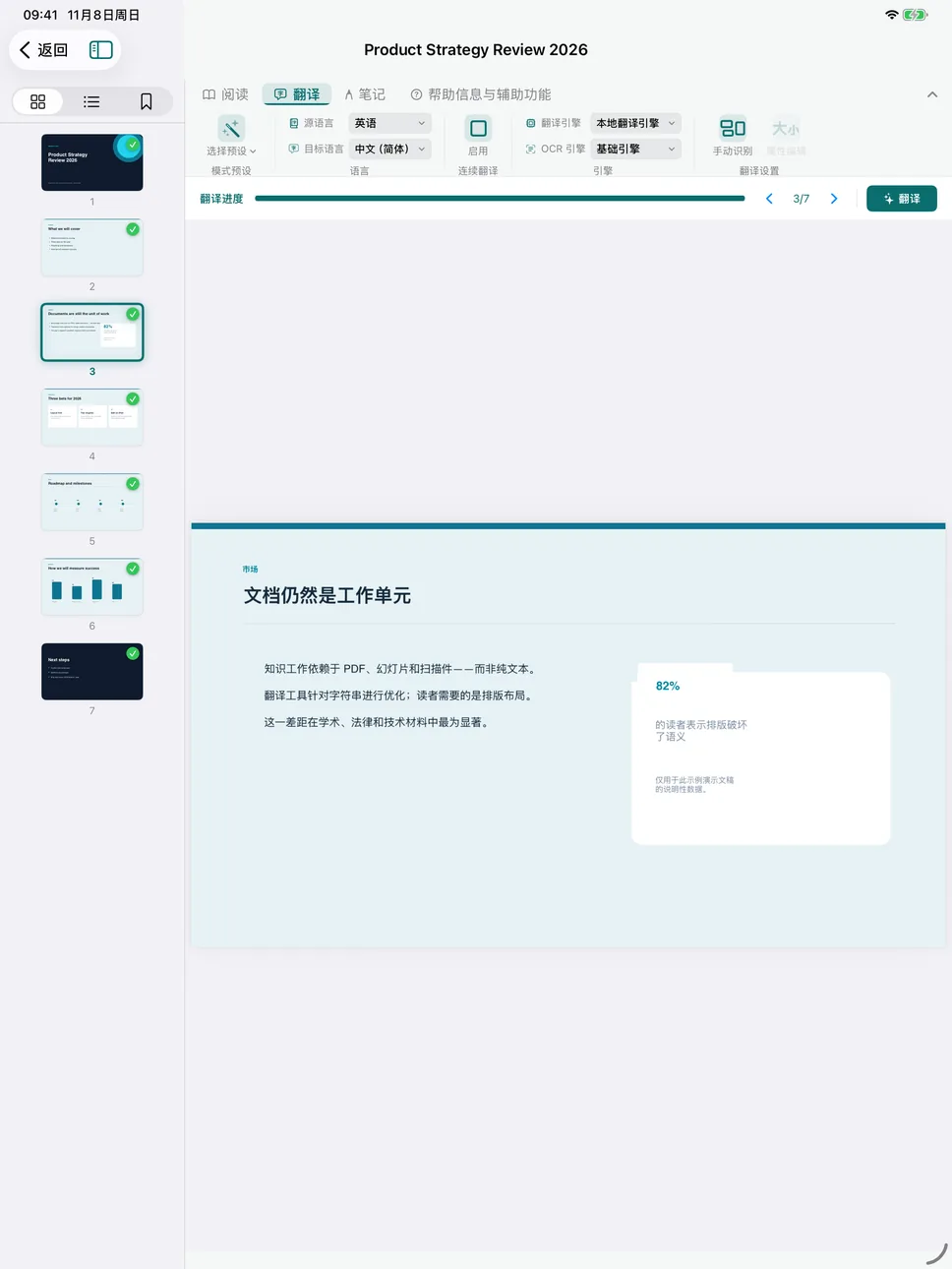
Every text box is re-fitted into its original position — columns, charts, tables and captions stay exactly where they were.
- Two-column papers keep their reading order
- Tables and formulas no longer shift
- Font size adapts instead of overflowing
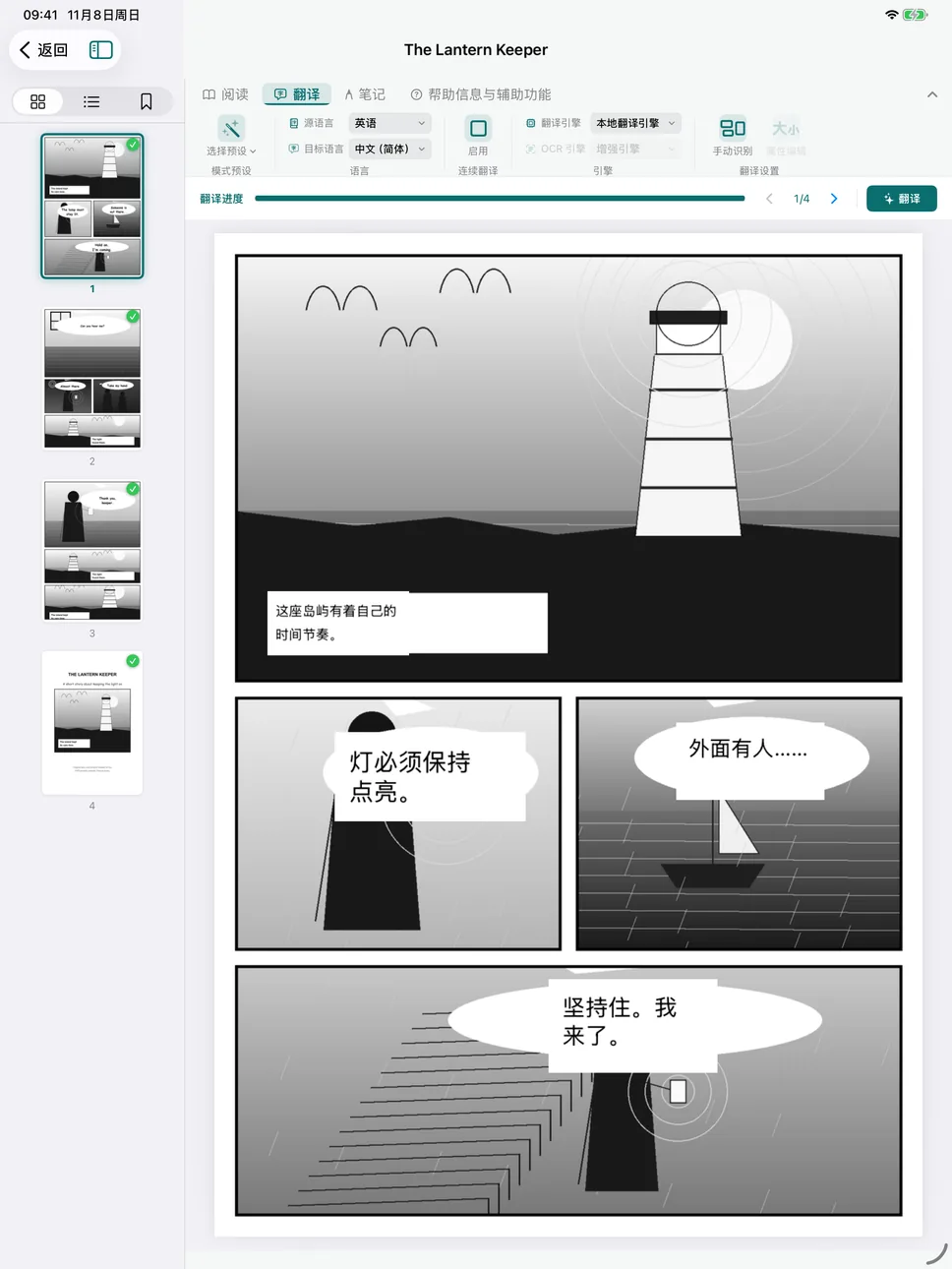
OCR that understands the page.
Scanned books, comics and photographed contracts are recognized with layout-aware OCR, then translated in place.
- Japanese, Chinese and English layouts
- Comic speech bubbles and captions
- No need to extract text yourself
Export and keep working
Translated pages export as a PDF that keeps the original layout, ready to print, share or annotate.
- Export the translated PDF in one tap
- Keep the original layout and page order
- Batch-translate long documents, then export once
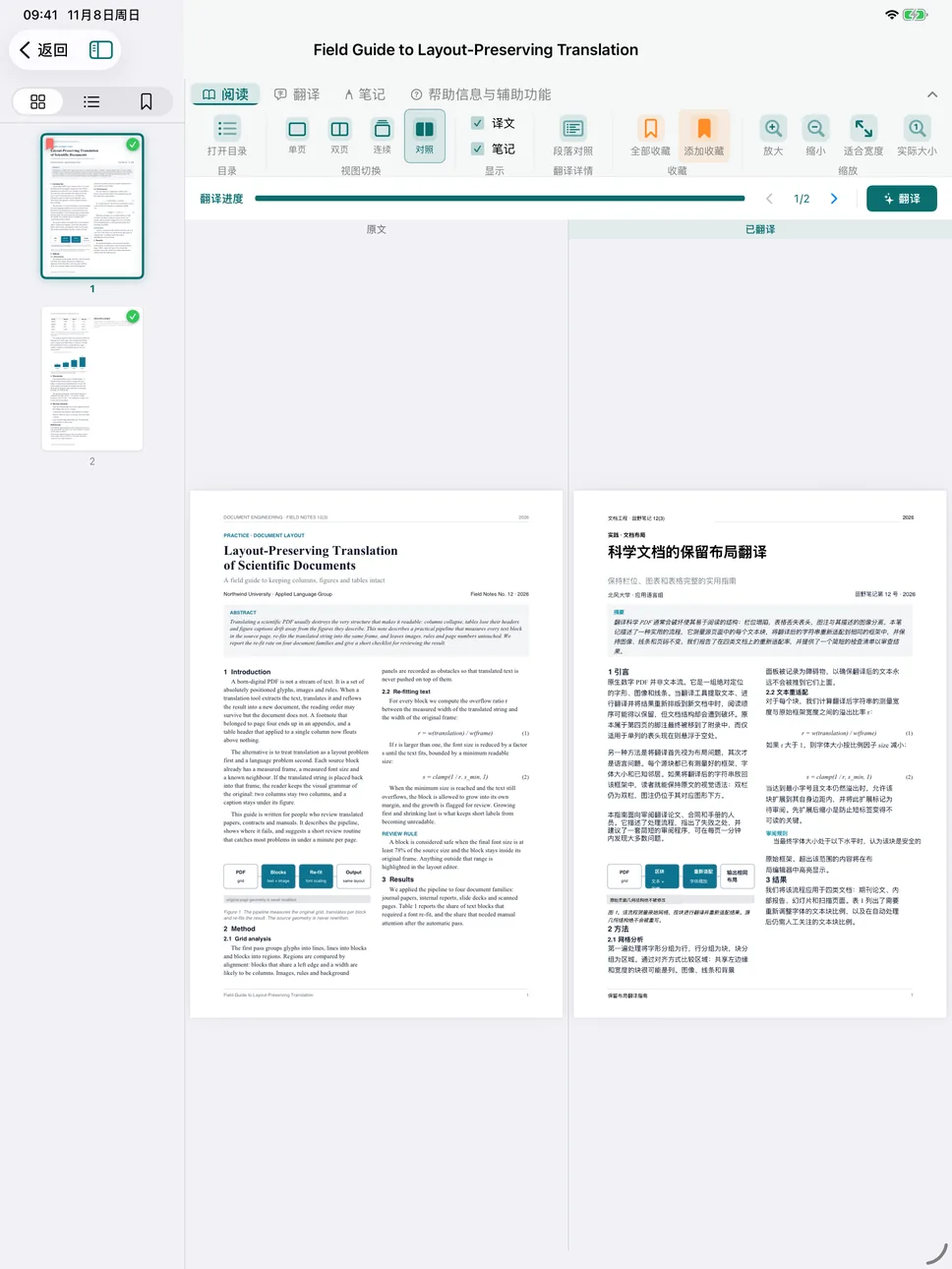
Original and translation, side by side.
Turn on comparison view to see the original and the translation in two synced panes. Page turns and zoom stay in step, so every paragraph is easy to check.
- Synchronized page turns and zoom
- Check paragraph by paragraph without switching back and forth
- Export the result straight from the comparison view
A closer look
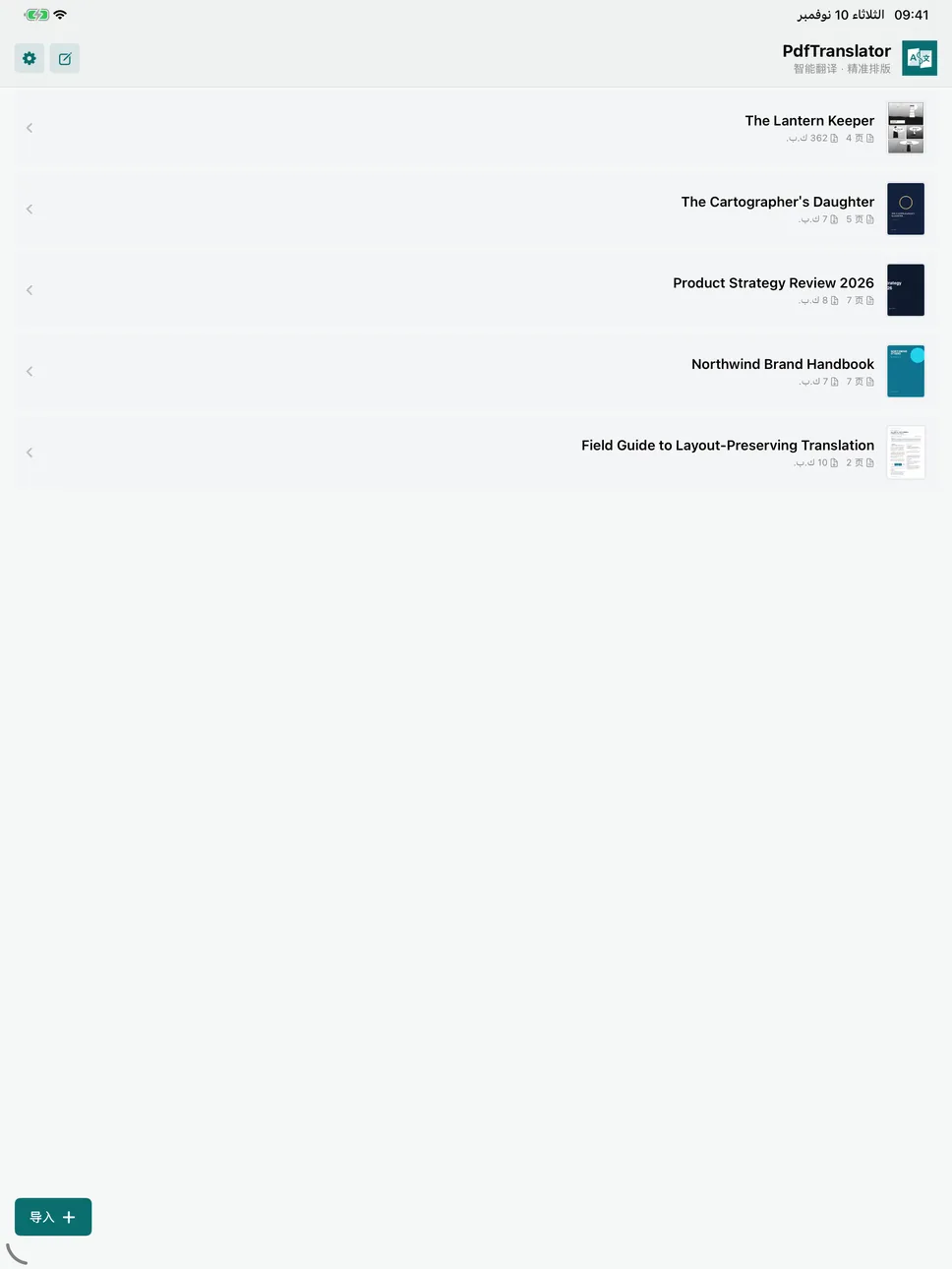
Real screenshots from the app — no mockups.
How It Works
Import PDF
Import PDF from file manager
Smart Analysis
AI automatically analyzes document layout and content
Translate
Select target language and start translation
Read Translation
Translation perfectly preserves original format
What changes, what stays
A quick comparison with generic PDF translators.
| PdfTranslator | Generic translators | |
|---|---|---|
| Original layout | Preserved by design | Often reflowed |
| Scanned PDFs | Built-in OCR | Extra tools needed |
| Export & sharing | Export translated PDF | Online reading only |
| iPad layout editing | Manual tools | Not available |
| Comics & image pages | Layout-aware | Poor results |
Try it on your own PDF
Import a PDF and see the translation in its original layout.
Download on App StoreFAQ
How do I translate a PDF?
What languages are supported?
Is my document data safe?
How is my translation quota calculated?
Download Now
Translate, review, and export your PDF in one place.
Download on App Storev1.4.0 · iPhone and iPad