
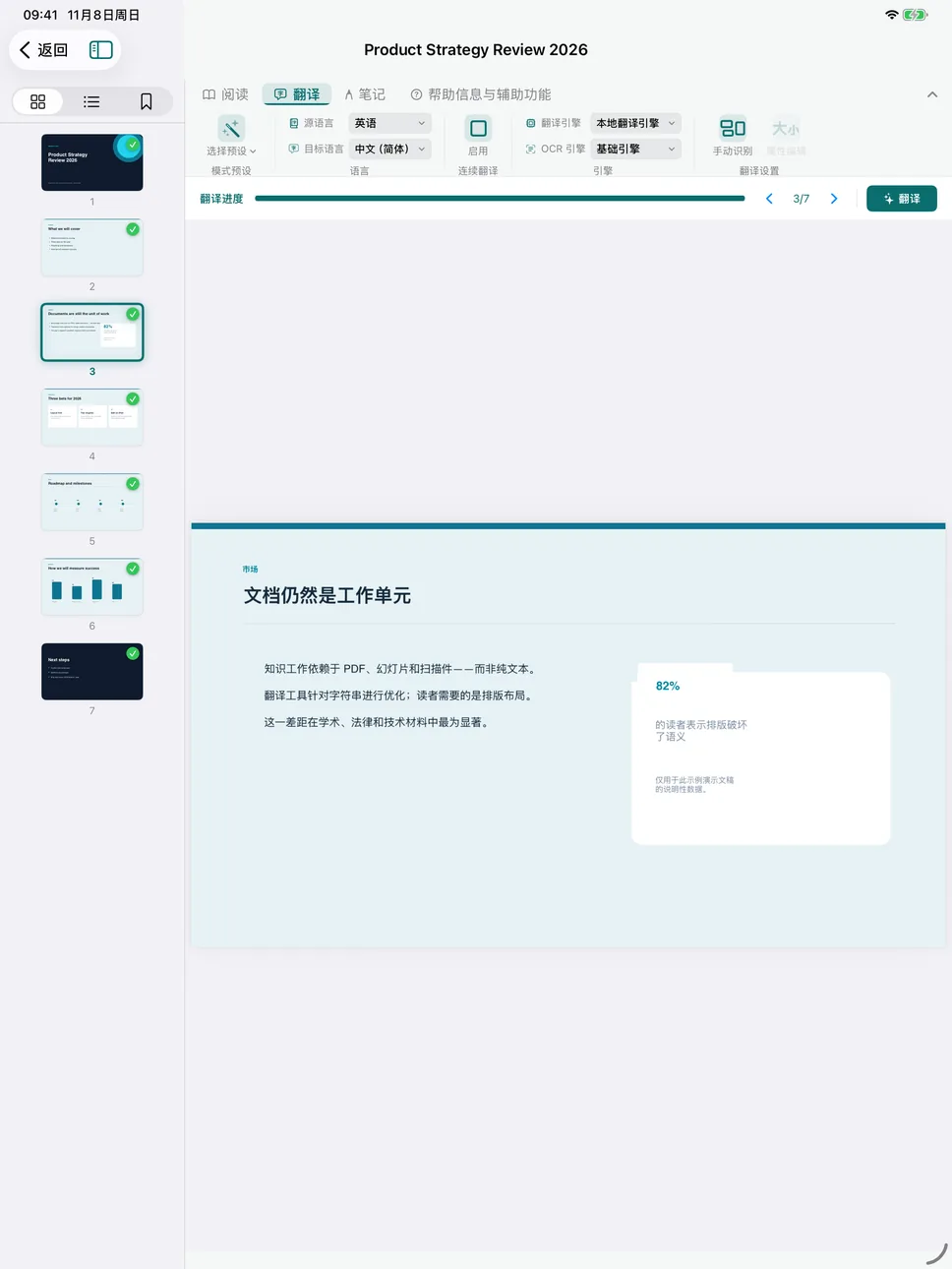
PdfTranslator ships with two translation engines so you can trade a little speed for more quality — or the other way around. Here is how the choice works in practice.
The two engines
Apple local engine
Runs on your iPhone or iPad, so it starts instantly and keeps working without a network connection. It is the right choice for quick reading, simple pages, and long sessions where you want immediate results.
- Best for: everyday documents, offline reading, fast previews.
- Strengths: instant, no waiting for a server, works on a plane.
- Trade-offs: less context understanding on dense or highly technical text.
Cloud AI engine
Sends only the extracted text to a large language model. It handles long sentences, idioms, terminology, and unusual language pairs noticeably better.
- Best for: academic papers, contracts, patents, comics with dialogue, and anything where nuance matters.
- Strengths: the most natural and accurate output, strong terminology consistency.
- Trade-offs: needs a network connection.
How to choose in one glance
| Situation | Recommended engine |
|---|---|
| Quick preview of a simple page | Local |
| Offline reading on a flight | Local |
| Academic paper, contract, patent | AI |
| Comic dialogue and unusual phrasing | AI |
| Long document you will export | AI, then review page by page |
Switching is per document
Open the translation settings and pick the engine. The choice is saved with that document, so a 200-page report can use AI while a short manual stays on the local engine. You can switch again at any time and re-translate only the pages you need.
Built-in layout intelligence
Whichever engine you choose, the page goes through the same layout pipeline: blocks are measured, the translation is fitted back into the original frames, and images, tables, and captions stay where they were. The engine changes the wording, not the document.
Bottom line
Start with the local engine when you want speed. Switch to the AI engine when the text deserves more attention. Both produce a translated PDF that keeps its original layout, ready to export, print, or share.